Home + Sidebar
Projects, sessions, and useful information, in their place.
 crux十字星
Your AI coding workbench in the terminal. Rich interactions. Immediate feedback. A smoother path from planning to code review.
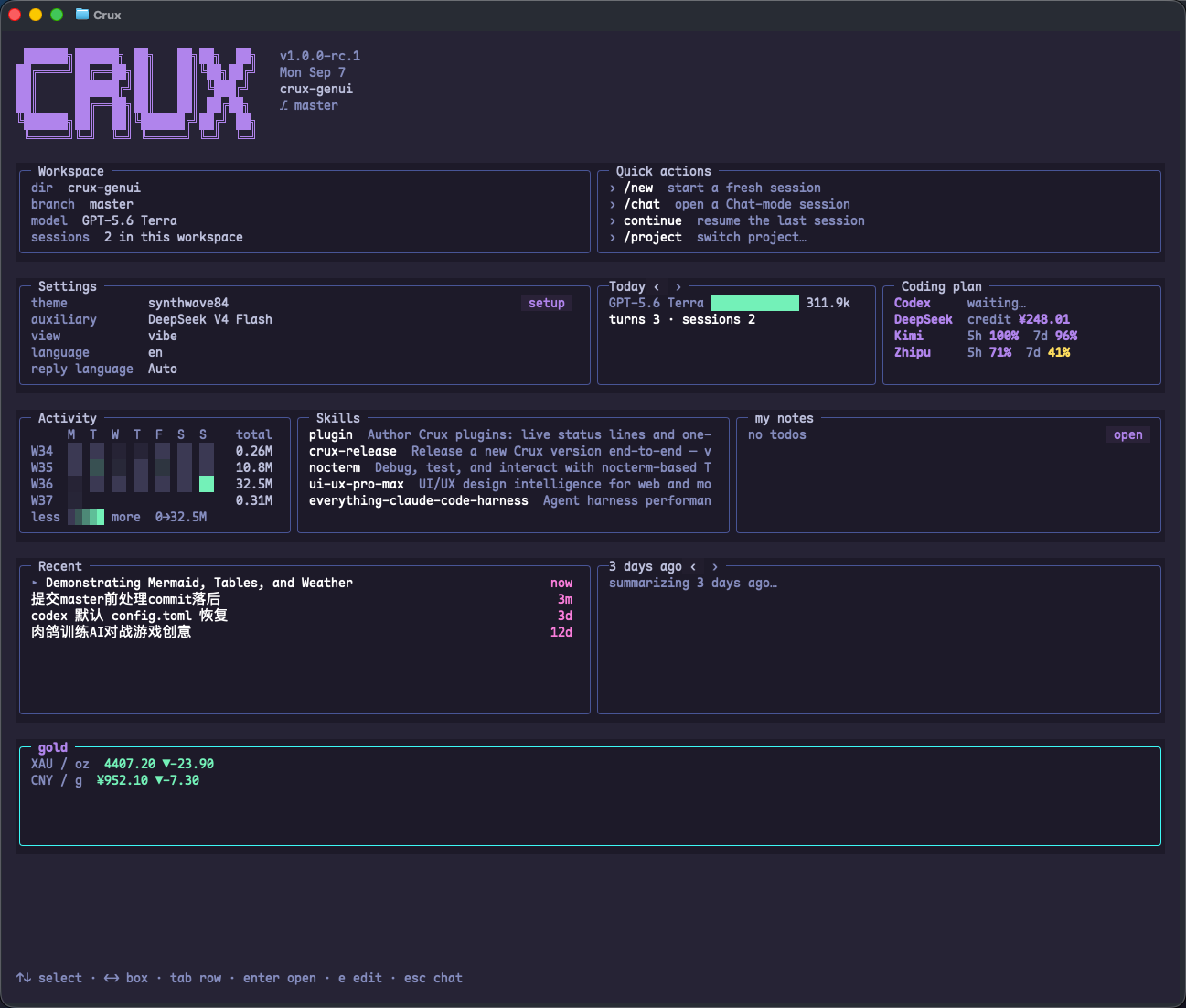
Real buttons, mouse interaction, and a workbench you can arrange. A focused terminal with room for complex work.
Projects, sessions, and useful information, in their place.
Read plans alongside the conversation. Inspect your changes.
Keep the full answer. Get the essentials when you return.
See supported provider quotas and usage in your workbench.
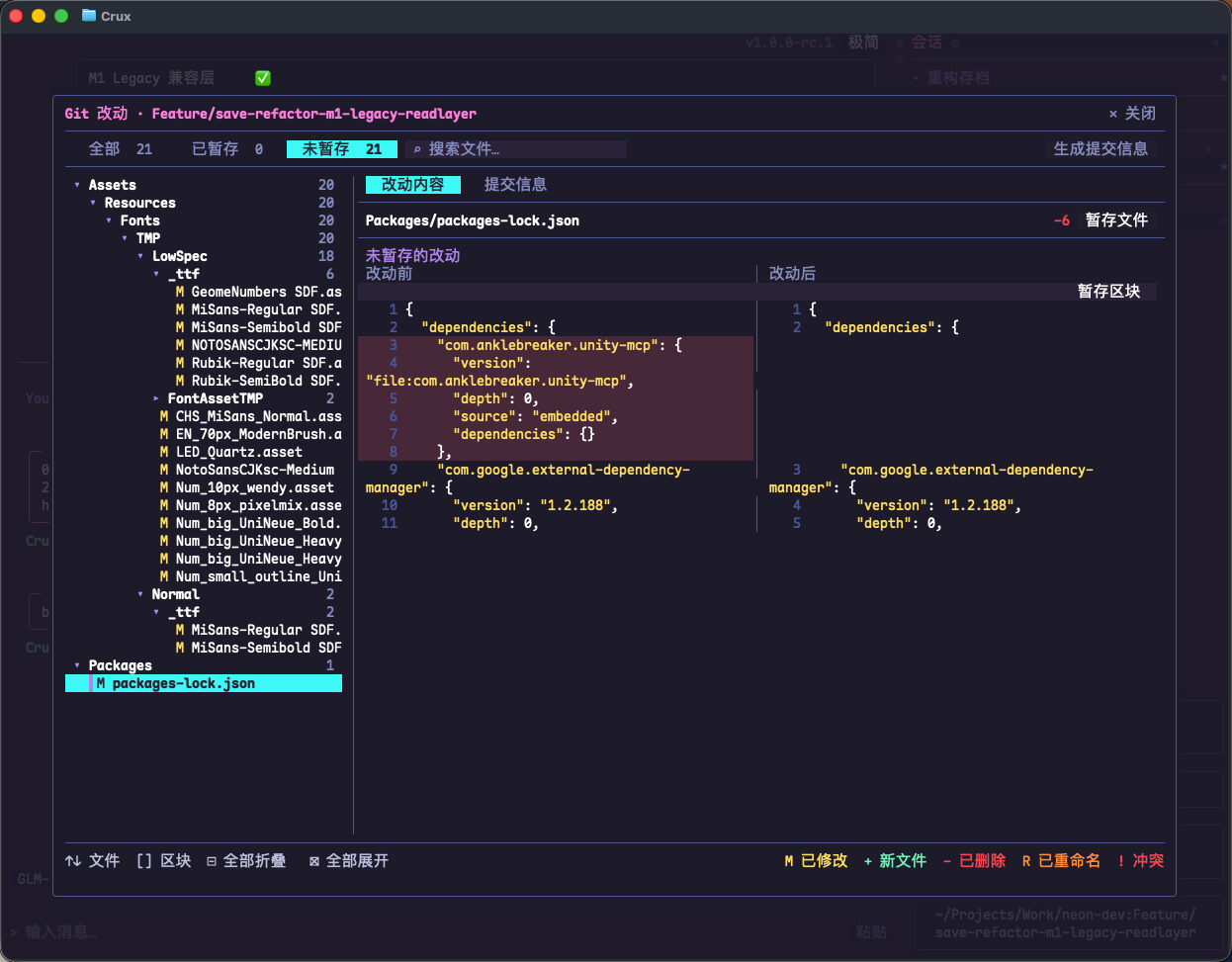
Browse changes in the file tree and compare them side by side. Stage a file or a hunk, check what belongs in the commit, and generate a commit message. Review and commit your work directly in Crux.
Ask the agent to explain architecture, flows, and state changes with Mermaid. Read diagrams alongside the conversation; drag to explore an overflowing diagram.
Diagram guide ↗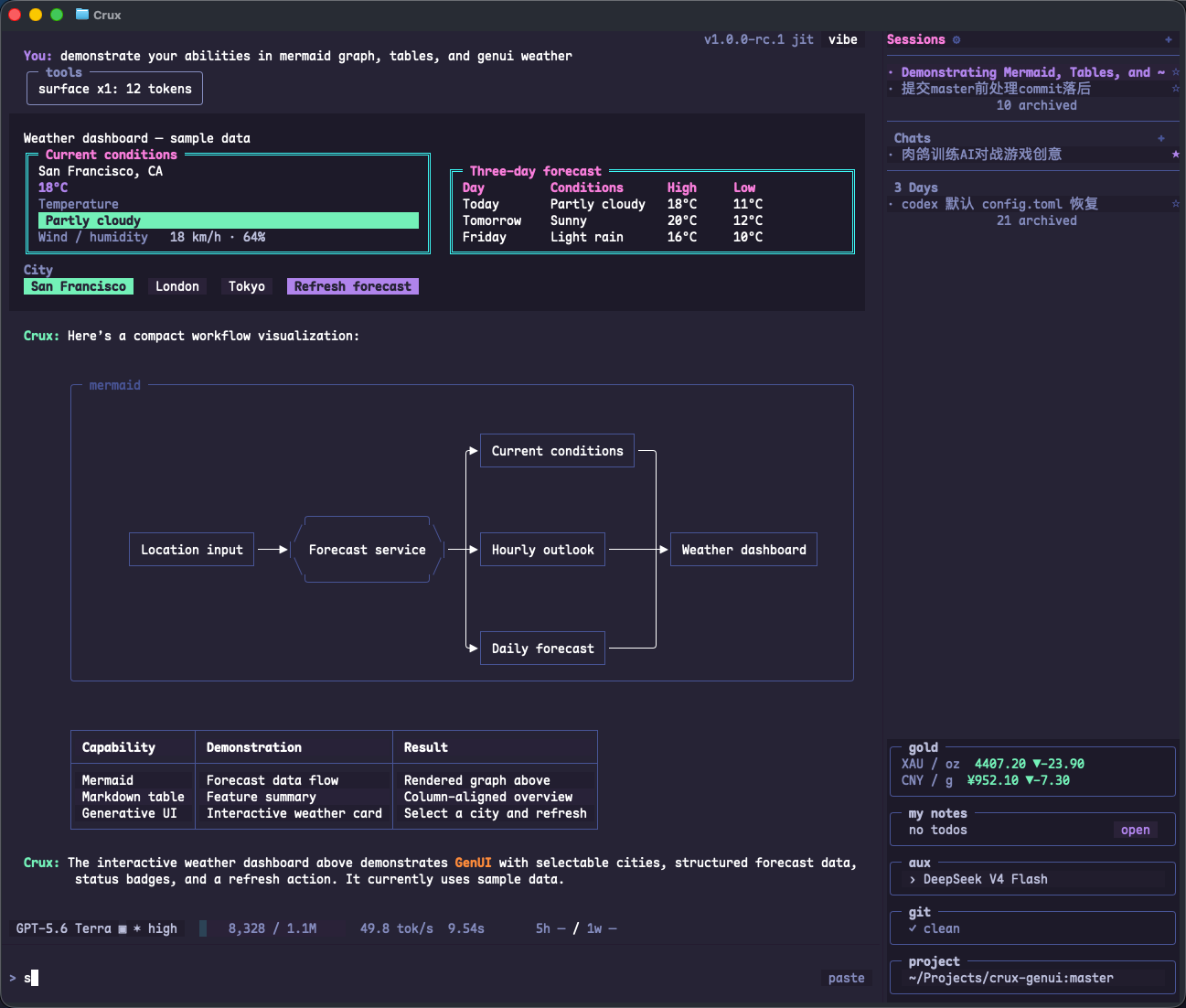
Tell the agent what you need. It can generate small, interactive plugins on the fly and display them in the Sidebar, Home, or both. New plugins and changes load automatically, without restarting Crux.
“Add a gold-price plugin to my workbench.”
Read status, click buttons, and run quick actions right in the plugin. Ask the agent to change its content or interactions as your needs evolve.
Create your first plugin ↗Choose a city, refresh the weather, or complete and submit a form. The agent builds an interactive interface; your actions feed back into the conversation and move the task forward.
Semble indexes code in seconds and helps the agent find key implementations by meaning, reducing repeated searches and irrelevant context.
Project usage has reached 99% cache hit. Stable prefixes reuse repeated input to lower token costs; savings depend on the model, task, and provider’s cache pricing.
Independent tool calls run in parallel, reducing model round trips and token usage from repeated context.
DeepSeek · Kimi · MiniMax · Codex · Custom compatible APIs
Install and set up ↗Read the manual ↗