
GenUI surfaces
An agent’s answer can be an interface.
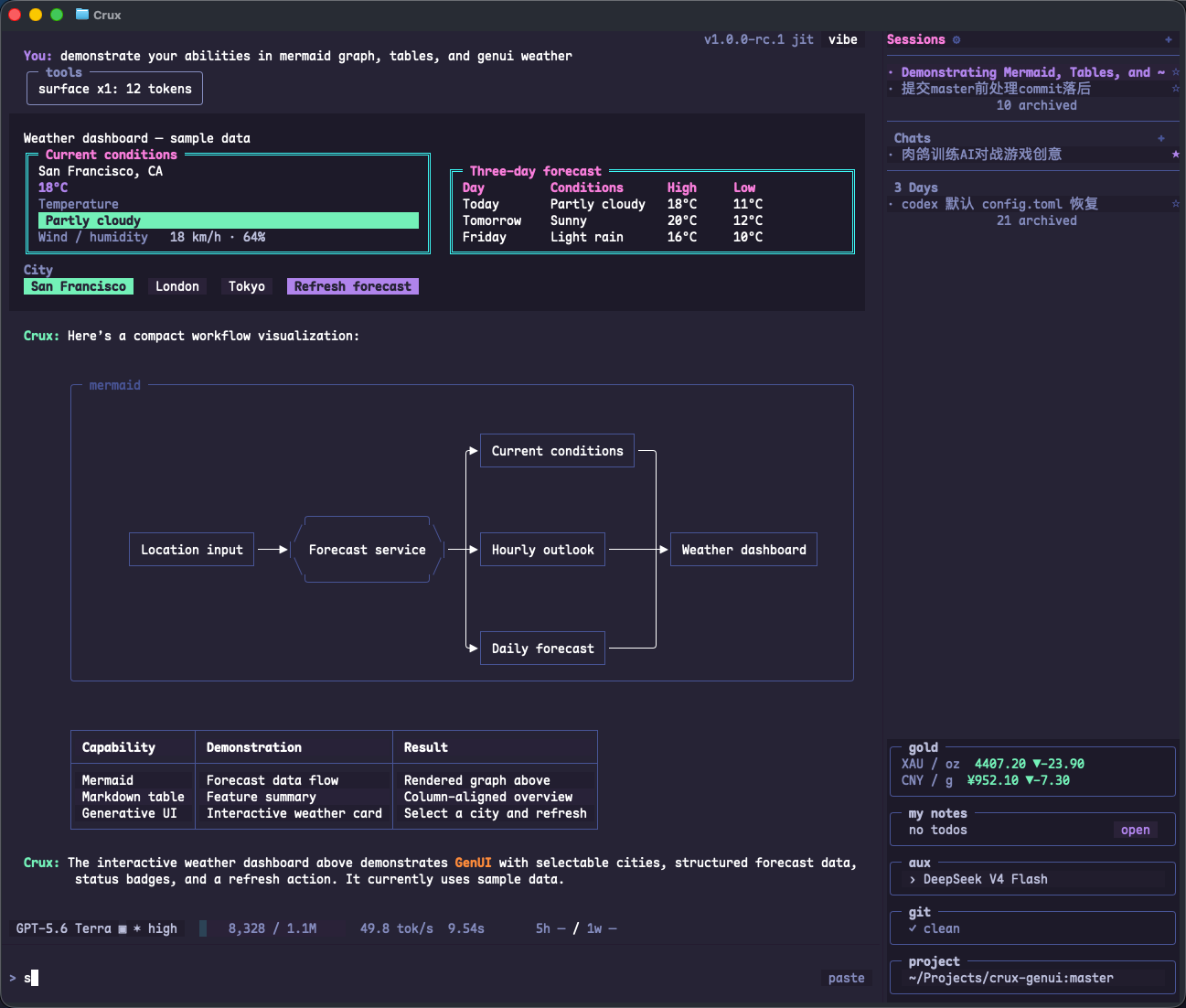
An answer beyond Markdown
When an answer needs a choice, input, or action, the agent can build a terminal-native interface: a choice picker, form, table, or progress panel. Interact with the answer, and your input returns to the conversation so the task can continue.
Crux renders these interfaces from its component catalog, with data binding and live updates. No browser is needed.
Use a GenUI form to let me choose which modules to review.
Allow multiple choices and an extra-instructions text field.
Wait for submission before starting the analysis.
Live updates
After creating a surface, the agent can use surface_update to update data and components, such as stage progress or new results. Inputs, checkboxes, and choices write to the surface data model; button actions return to the conversation flow.
Forms in history
Submitted chat forms remain in history as read-only records. Home and plugin controls can be used repeatedly; their lifecycle differs from a one-time chat form.
How plugins fit
GenUI fits interactions within the current task. Plugins fit information and actions that stay on Home or Sidebar. They can share the surface declaration model and components.
About the images
GenUI images on this site are actual Nocterm renders of Crux's SurfaceHost with deterministic sample data. They are component snapshots, not Ghostty captures, performance measurements, or real account usage records.