
Home, sessions, and code review
Keep daily coding information and actions in one workbench.
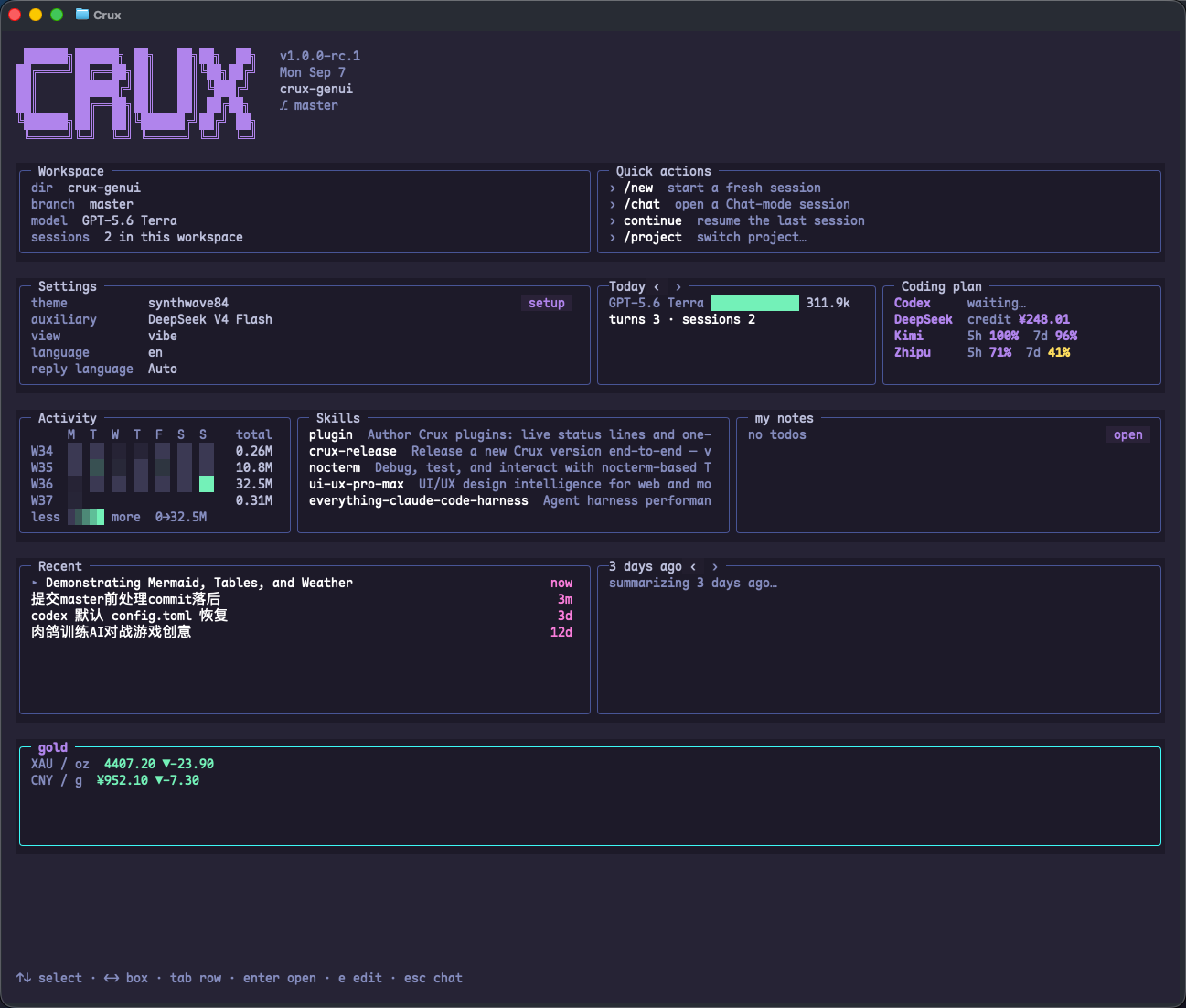
The Home dashboard
Enter /home to open the dashboard. It brings together quick actions, recent sessions, settings, activity, and supported usage indicators. Arrange, resize, and hide grid items using the on-screen editing controls. Content reflows in narrower terminals.
/homeSessions and projects
- /new: start a new session.
- /session: manage sessions; search by title or #id.
- /rename: rename the current session.
- /archive and /unarchive: archive or restore sessions.
- /project: switch project directory.
- /chat: start a workspace-free conversation.
Plan mode
Use /plan to toggle planning. The plan document appears beside the conversation and belongs to the session. Agree on the problem and steps before implementation. Structured questions can collect several choices in one submission.
/planInspect commands and changes
Open a running shell call's details to see output, elapsed time, and monitoring information, or stop that run. Inspect changes in the full-screen Git review panel by file, staging state, and diff hunk.
- Inspect the actual diff as well as the agent's summary.
- Confirm the staged changes and commit message in the review screen.
- Choose Commit or Commit + Push yourself in that screen.
Themes and language
Use /theme for themes and /language en or zh for the interface. /reply-language auto follows your input language; follow uses the interface language. /view verbose shows fuller tool details.
/theme dracula
/language en
/reply-language auto
/view vibe